
Packaging route chosen is handled by this skill in a customer-readable, reusable workflow.
Runtime needs checked is handled by this skill in a customer-readable, reusable workflow.
SB_standalone_webapp_packager@SB_standalone_webapp_packagerAgent SetupIncluded in bundle10 minutes
What is this?
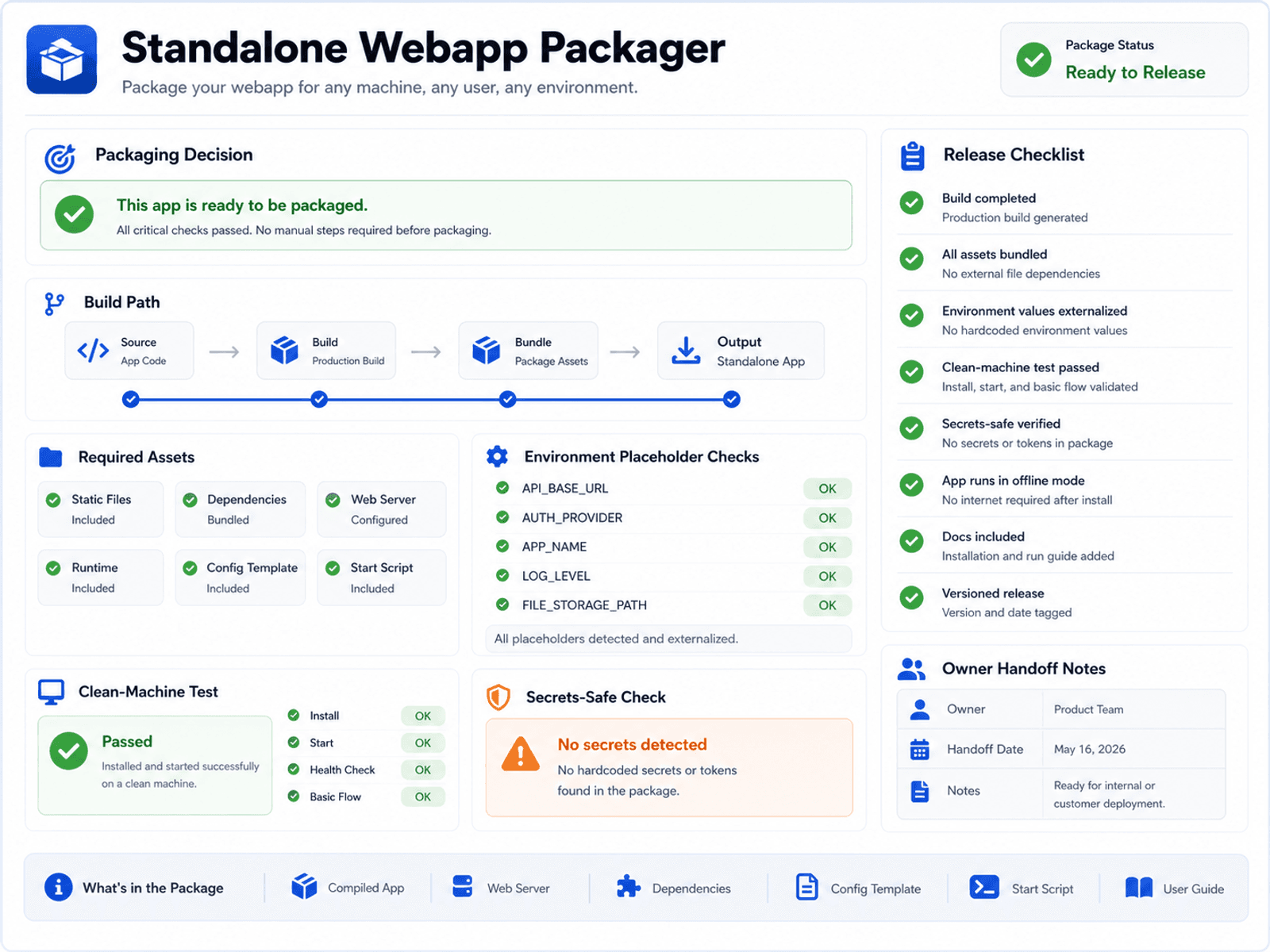
A web app running on the builder's machine is not the same as a package someone else can open, test, or host. Standalone Webapp Packager compares realistic delivery paths, checks required commands, environment variables, database assumptions, assets, secrets, and clean-machine behavior, then produces a packaging and verification plan. The buyer gets an honest delivery path instead of a vague promise that the app is "standalone."
When this helps
What you get
- Packaging decision
- Build checklist
- Handoff notes
- Verification plan
Use it when
- The app works on the builder's machine, but you do not yet know how someone else will open, run, test, or deploy it without breakage.
- The project depends on environment files, a database, uploads, build commands, or local setup steps that make handoff fragile.
- You need a realistic packaging and delivery path before promising a client or team that the app is ready to run.
Not the right fit when
- It does not magically make every web app one-click. It helps choose and verify the safest realistic delivery path.
What this prepares next
Clearer delivery path -> Fewer failed packaging loops -> Better owner handoff
Why this is stronger than asking AI once
Asking AI to make a web app standalone often skips the hard choice: whether the app should ship as static files, a local server, a packaged app, or a hosted handoff. Standalone Webapp Packager is stronger because it compares delivery paths, runs a build checklist, and prepares handoff notes for the option that actually fits the app. The buyer avoids repeated packaging attempts that fail for the same hidden reason. Boundary: It does not magically make every web app one-click; it helps choose and verify the safest realistic delivery path.
Included interface patterns
Packaging Decision Matrix
A comparison of hosted web, static output, server bundle, portable folder, desktop wrapper, and installer paths.
Recommended path, avoided paths, runtime needs, and clean-machine test target.Build Preflight
A checklist before running build commands or generating release files.
Assets, config, environment, runtime, and security preflight checks.Release Verification
A final review before sending the app to customers.
Startup, main flow, logs, assets, secrets, and residual risk report.