
Screens governed is handled by this skill in a customer-readable, reusable workflow.
Mobile behavior checked is handled by this skill in a customer-readable, reusable workflow.
SB_ui_ux_governor@SB_ui_ux_governorUI/UX StandardsIncluded in bundle10 minutes
What is this?
Once a product has several screens, visual quality is no longer about making one page prettier. Buttons, empty states, mobile layouts, wording, accessibility, brand cues, and handoff notes can drift in different directions. UI/UX Governor turns user interface and user experience approval into a governed review: protect the approved baseline, inspect screen changes, record rejection reasons, check responsive behavior, and produce frontend handoff notes so the product experience stays coherent.
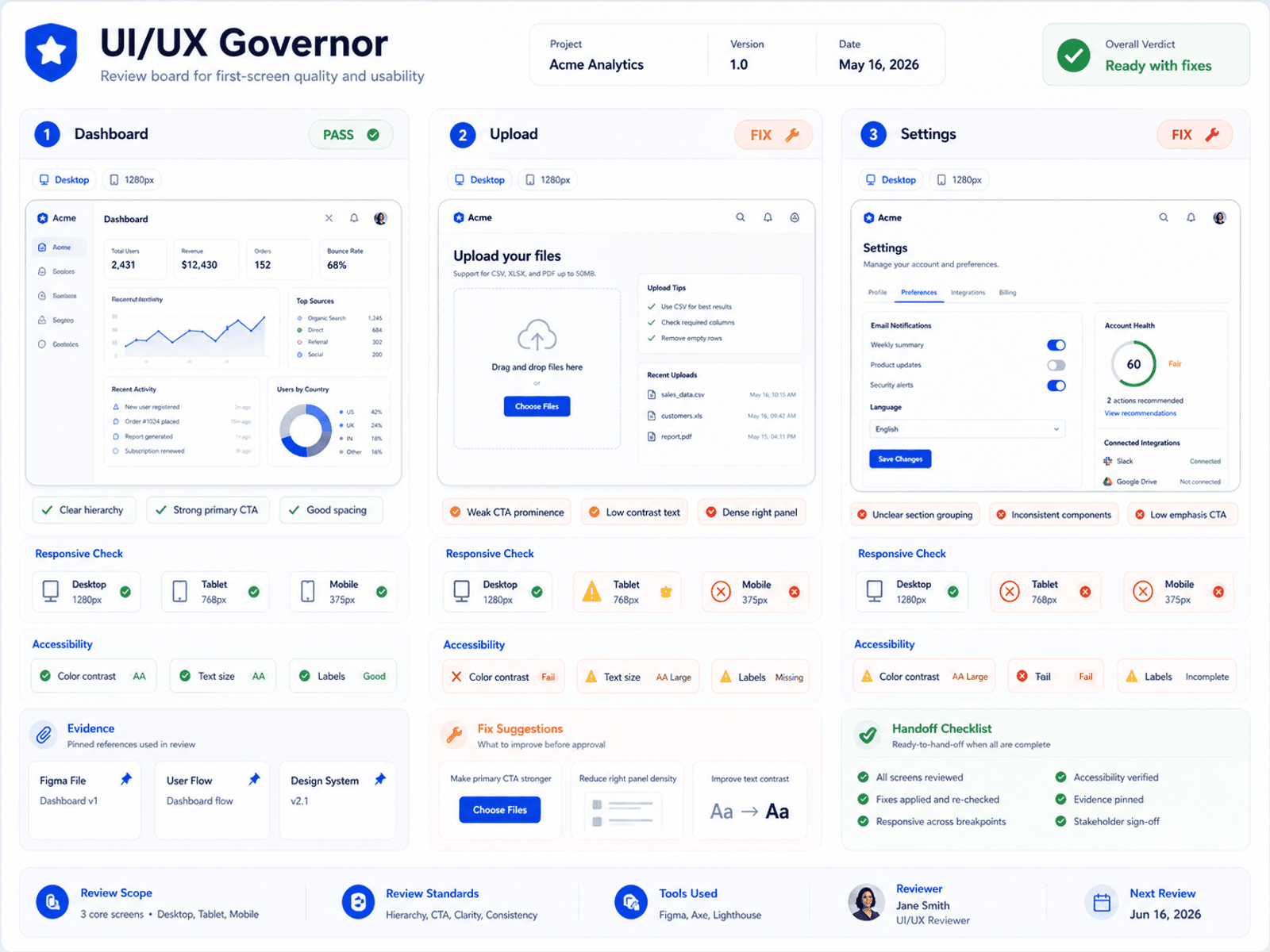
When this helps
What you get
- UI review
- Decision notes
- Mobile/accessibility checks
- Handoff guidance
Use it when
- Your product has several screens and the experience starts to feel inconsistent across layout, buttons, copy, spacing, or mobile behavior.
- A screen feels wrong, but your team cannot clearly explain what should be rejected, fixed, or kept.
- You need AI to improve the product interface without making one screen better while making the whole product less consistent.
Not the right fit when
- It does not replace a full UX research program. It governs interface quality for practical AI-assisted product work.
What this prepares next
More consistent UI -> Better mobile trust -> Clearer implementation handoff
Why this is stronger than asking AI once
Asking AI to polish a page can improve one screen while leaving product-wide interface decisions inconsistent. UI/UX Governor is stronger because it turns interface approval into a governed review with decision notes, brand fit, mobile behavior, accessibility checks, and implementation handoff. The buyer gets a UI quality gate that can be repeated across screens instead of a single design opinion. Boundary: It does not replace a full user-experience research program; it governs practical interface quality for AI-assisted product work.
Included interface patterns
UI Change Governance
A decision workflow for approving, revising, or rejecting a proposed UI change.
Plain-English UI governance decision with risk notes.Logo And Design Token Audit
A consistency check for logo treatment, colors, spacing, typography, radius, shadows, and repeated components.
Logo mapping, design token audit, and fragmentation warning.Mobile And Accessibility Gate
A mobile and accessibility review before the screen is accepted.
Mobile fit, contrast, focus, labels, and tap-target checklist.Clean Code Handoff
A handoff prompt for frontend implementation review.
`@SB_clean_code` prompt for code-quality verification.